
D · Operations
LiveWork completion evidence
Photos and notes on completion.
Live
Available in the app today. You can use this feature as soon as your farm is set up.
The problem
Work gets lost between the office and the field
- Instructions are given by voice and forgotten.
- Nobody can prove a job was done.
- Repeating jobs depend on someone remembering.
How work completion evidence helps
Photos and notes on completion.
It is part of Farm Operations, so what you record here is already linked to the rest of the farm — no second spreadsheet, no re-typing.
Key capabilities
What work completion evidence works with
Field, animal or machine the task is for
Worker time and approvals
Photo proof and the activity timeline
How it works
In four steps.
- 1Create or schedule the task.
- 2The worker does it and adds photo proof.
- 3A manager approves it.
- 4Cost and history update by themselves.
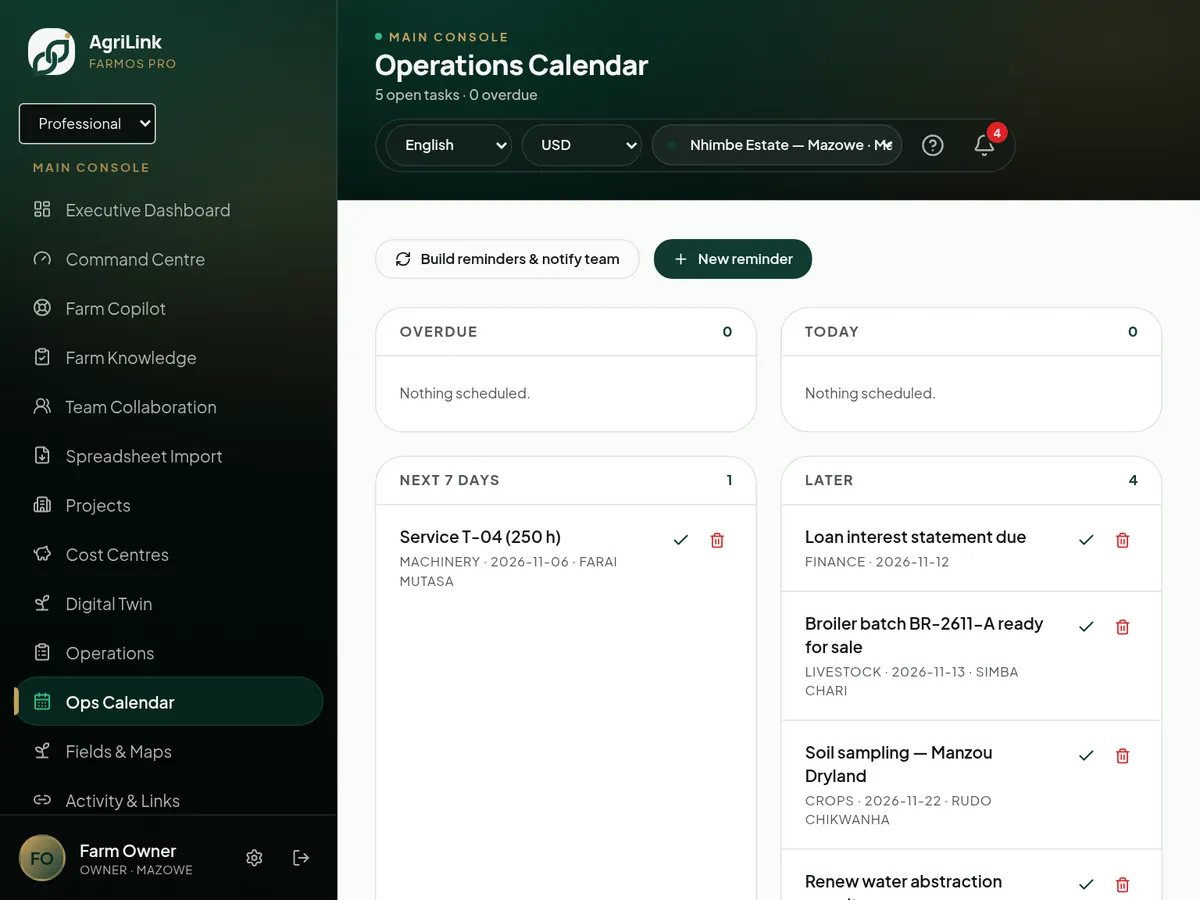
Real AgriLink screen · sample farm data
Connected features
More in Operations
- Task managementTasks with priority, owner and status.Live
- Task assignmentAssign to workers or teams.Live
- Task dependenciesPrerequisite activities.Planned
- Operations calendarMonth calendar with drag-to-reschedule.Live
- Gantt viewsTimeline view of planned work.Live · limited
- Supervisor verificationApprover-only sign-off.Live
photo
proof on every job
drag
to reschedule on the calendar
auto
next repeat when one is done
Start using work completion evidence this week.
You can use this feature as soon as your farm is set up.