

E · Workforce
LiveEmployee profiles
Worker records with pay type and skills.
Live
Available in the app today. You can use this feature as soon as your farm is set up.
The problem
Wages are guessed, not proven
- Hours are written on loose paper.
- Labour cost is never split to the field where the work happened.
- Overtime and advances are argued about every month.
How employee profiles helps
Worker records with pay type and skills.
It is part of Workforce Management, so what you record here is already linked to the rest of the farm — no second spreadsheet, no re-typing.
Key capabilities
What employee profiles works with
Approved timesheets
Payslips and Finance
Labour cost per field, animal or project
How it works
In four steps.
- 1Workers clock in or a supervisor records hours.
- 2A manager approves the timesheet.
- 3Payroll uses the approved hours.
- 4Labour cost lands on the right field — once.
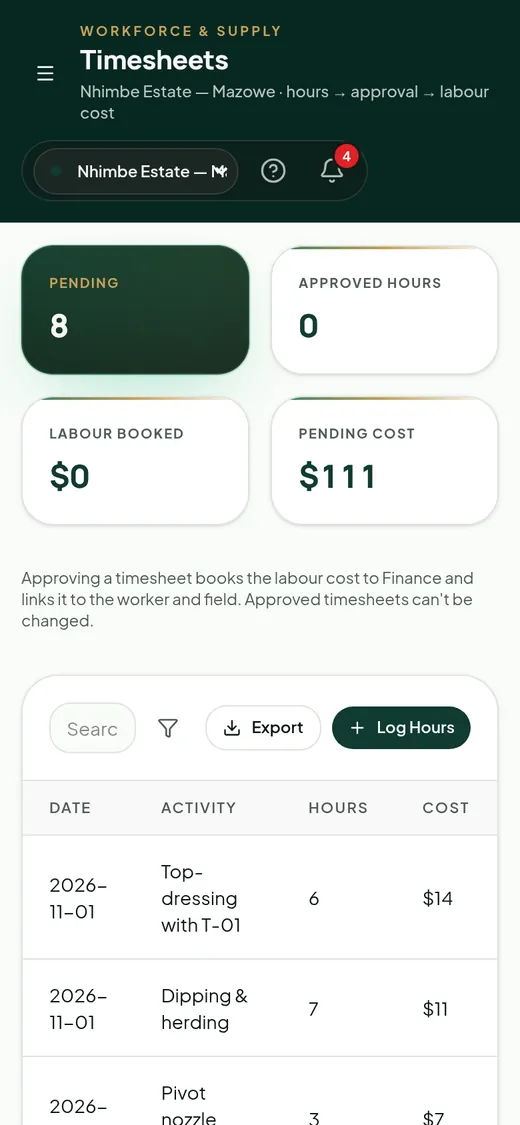
Real AgriLink screen · sample farm data
Connected features
More in Workforce
- AttendanceClock-in and clock-out.Live
- TimesheetsHours by activity with approval.Live
- PayrollPayslips with allowances, overtime and advances.Live
- Labour allocationLabour cost to fields, animals and projects.Live · limited
- Labour productivityLabour heatmap and contractor scorecards.Live
- Leave managementLeave requests with manager approval.Live
1×
labour counted, never twice
en/sn/nd
worker messages
payslips
Start using employee profiles this week.
You can use this feature as soon as your farm is set up.